Your monthly HR Excel files, as one clear dashboard.
Verified HR Analytics reads the employee files you already keep and shows headcount, hiring, turnover, retention, pay equity, attendance and data quality in minutes. It runs on your computer, so employee data never goes online.
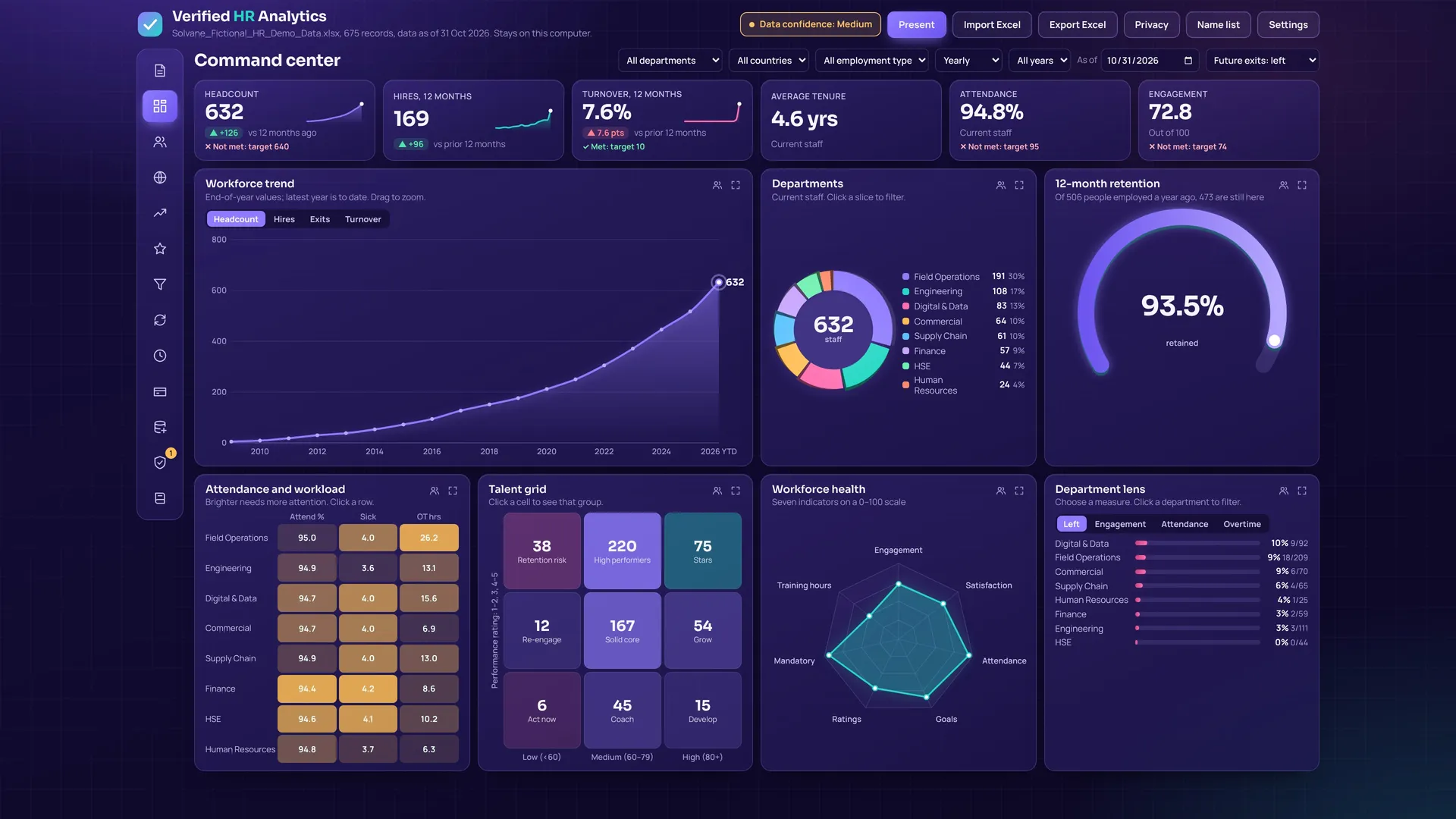
The HR numbers leaders ask for, without building reports by hand
Import the month's file, check what changed, and the whole dashboard updates. Every number can be opened to see the people behind it.
Reads your existing Excel files
Matches your column names to the dashboard automatically, then lets you confirm. Save the match once and reuse it every month.
Monthly history and trends
Builds history from each person's hire date and from your monthly files. See headcount, joiners and leavers by month, quarter or year.
Turnover and retention
Voluntary, involuntary and regretted exits, first-year leavers, exit reasons and the cost of turnover, with targets you set.
Pay position and equity
Pay against band midpoints, women's pay against men's by level, and pay by country converted with exchange rates you set.
Click any number to see names
Open the list of people behind a chart or figure, shown by the employee ID or staff number your file uses.
Private by design
No internet connection is used. Small groups are hidden so individuals can't be identified, and you can export a version without names.
Built for multi-country teams
Countries, legal entities, global levels, contractors and full-time equivalents. Hijri and Gregorian dates are both read.
Data quality checks
Flags missing dates, duplicate IDs and odd values before you present, with a confidence rating on every view.
Export to Excel
Exports a clean workbook in one standard layout, including monthly history, ready to share with management.
See each view
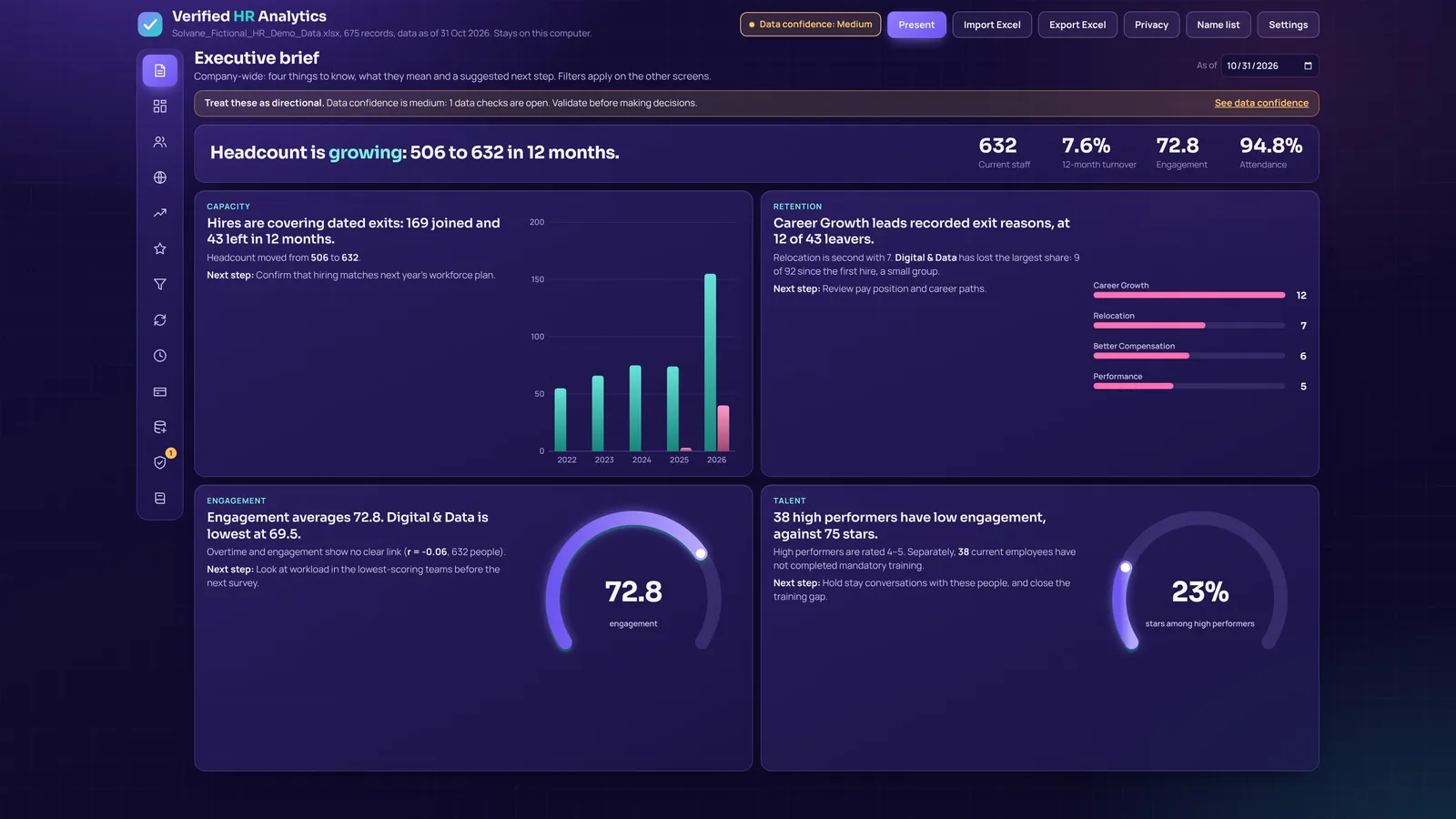
Watch a year of HR data come to life
Four steps, about five minutes
Each key works on one computer for one month or one year. When it ends, the dashboard asks for a new key. Your data is kept.
Download and install
Install the app on the Windows computer you'll use it on.
Copy your computer code
The app shows a code like SHGT-PQ27-917W-XRCX.
Request your key
Send the code with the form below. Your key arrives by email.
Paste and start
Paste the key into the app and choose Activate. Renewing early adds time, so you lose no days.
One app, two lengths
Both plans include every feature and free updates while the key is active.
1 month
- Full dashboard on one computer
- All views, exports and checks
- Email support
1 year
- Everything in the monthly plan
- Twelve months on one computer
- Priority email support
Get the app
Windows
Download for WindowsWindows may show "Windows protected your PC" the first time, because the installer is new. Choose More info, then Run anyway.
Mac
The Mac version for Intel and Apple Silicon is coming soon. Email info@heshamwahba.com to be told when it's ready.
Try it first
Ask for a free trial key with the form below and mention "trial".
Request your key
Fill this in and choose Send request. It opens your email app with everything filled in, addressed to info@heshamwahba.com.
If nothing opened, copy this text and email it to info@heshamwahba.com.
Before you buy
Does my employee data go online?
No. The app works without an internet connection and keeps everything on your computer. Nothing you import is sent anywhere, including to us.
What file do I need?
An Excel file with one row per employee, such as a monthly HR export. Columns can have your own names; the app suggests matches and you confirm them. Missing columns simply hide the charts that need them.
What happens when my key ends?
The dashboard locks on the day after the end date and asks for a new key. Your data and settings stay on the computer and are there again as soon as you enter a new key. You get a reminder 7 days before.
Can I move my licence to a new computer?
Each key is made for one computer. If you replace your computer, email us the new computer code and we'll help.
Can several people use it?
Each computer needs its own key. Ask by email for a price for several computers.
How do I pay?
The 1-month plan is USD 100 and the 1-year plan is USD 999. For now, payment is arranged by email after your request. Online card payment is coming.